01INFORMATION WITHOUT A PATH
You have the material, but no clear way to learn it.
Clax turns scattered PDFs, texts, and links into a structured course with lessons and practice.
SOLVED WITHClax
 Cwenti
STOP PROMPTING · START FINISHING
You already pay for ChatGPT. But getting useful work done still means pasting context, rewriting prompts, and jumping between chats. Cwenti turns that intelligence into ready-to-use desktop workflows.
Version 0.1.1 · macOS 12+ Apple silicon · Windows 10/11 x64
Start with the jobNot another blank chat
Too much copy and paste
→Repeated context
→Disconnected tools
→One direct path to done
THE PROBLEMS CWENTI SHORTENS
Cwenti does not ask you to start from a blank chat. Each workflow begins with the job, already shaped around the result you need.
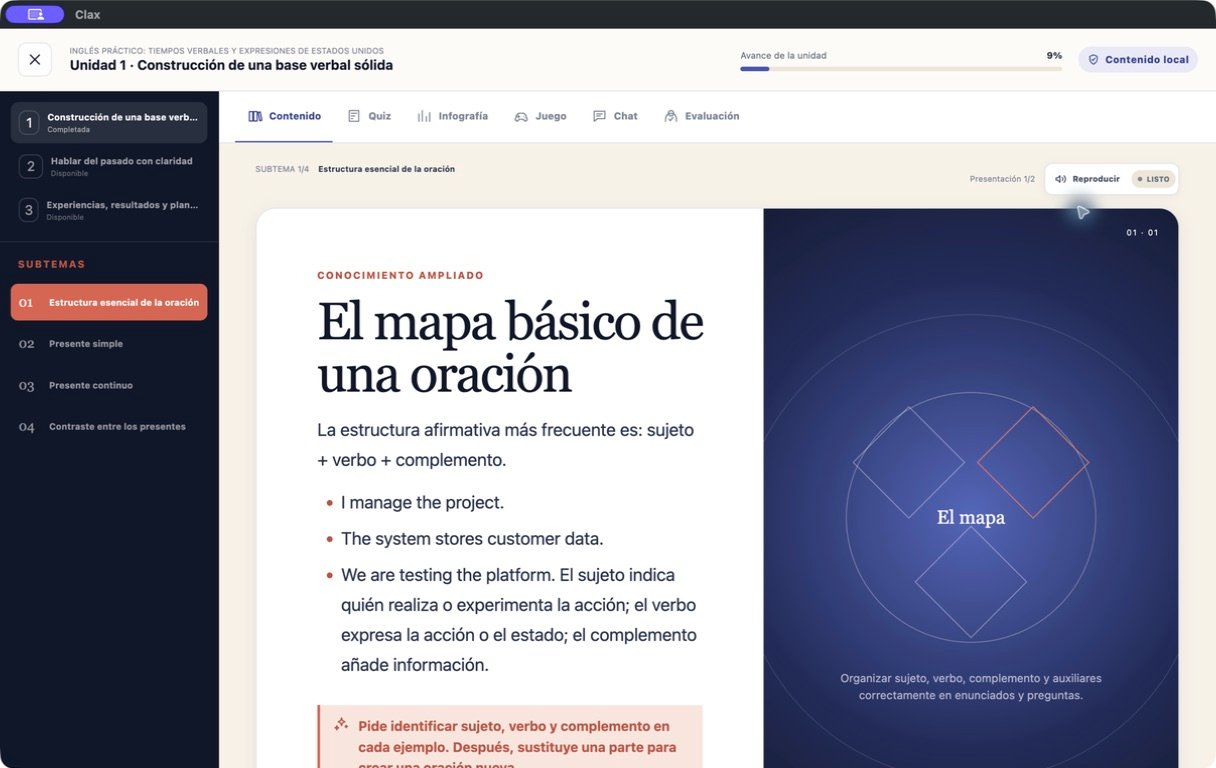
Clax turns scattered PDFs, texts, and links into a structured course with lessons and practice.
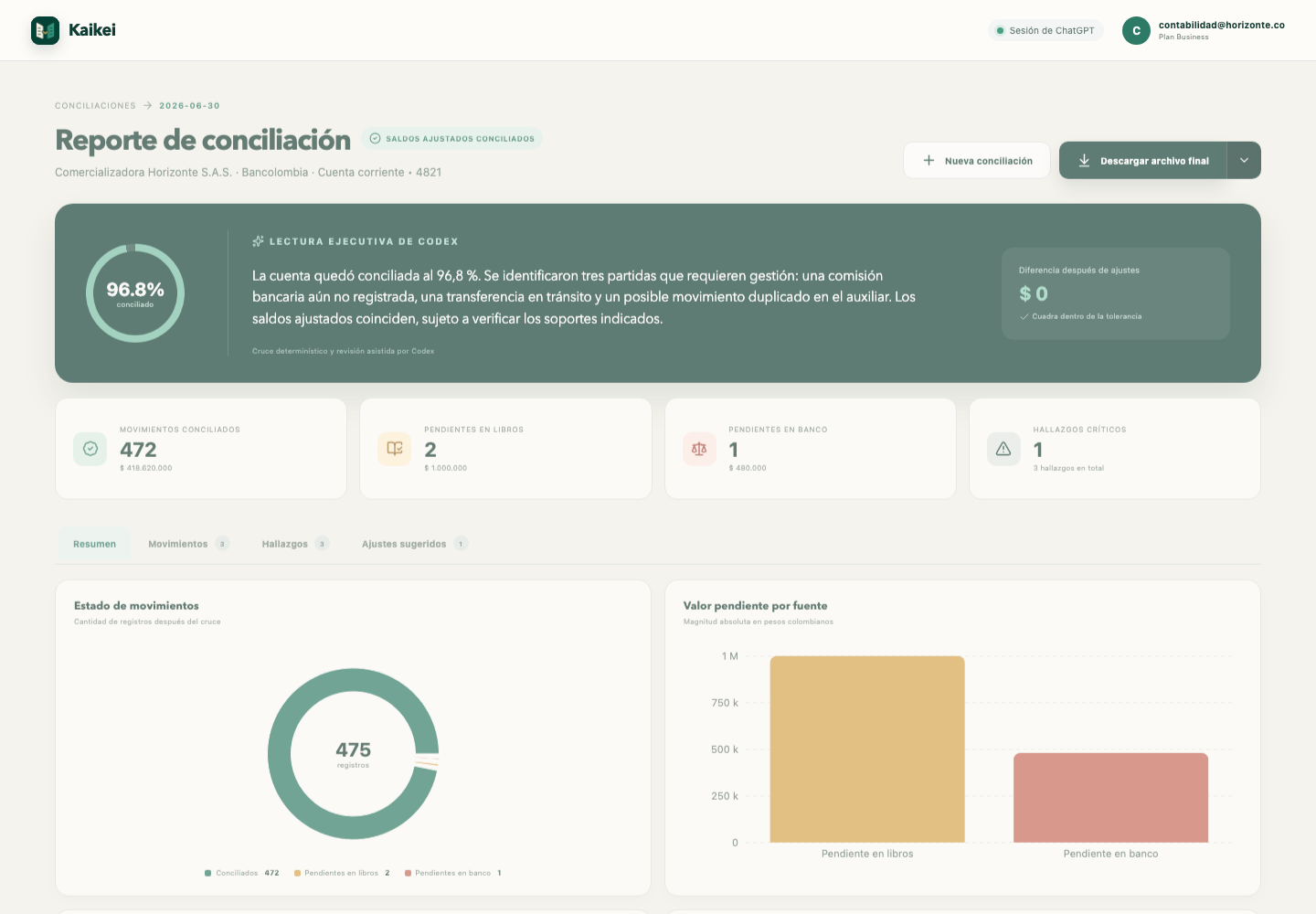
Kaikei crosses records, explains differences, and prepares a reconciliation you can review.

Noman turns messages, decisions, and follow-ups into organized work you can act on.

START WITH THE JOB · NOT A BLANK CHAT
Each Cwenti workflow already understands the structure of the task. You provide the material; the app guides the process and keeps the result in a focused local workspace.
WATCH THE WORK HAPPEN
Four official demos from Digital Mauro show Clax and Kaikei solving real tasks in English and Spanish.
View the Digital Mauro channel ↗See source material become a clear learning path.
See financial records become a reconciliation you can review.
FROM WORKAROUND TO WORKFLOW
No separate tools, accounts, or setup routines to assemble.
Use your ChatGPT account through the official Codex sign-in flow.
Choose the workflow instead of inventing a prompt and rebuilding the context.
Work in a focused interface while Cwenti keeps your local tools together.
BUILT FOR LOCAL, PRIVATE WORK
Cwenti is local-first and connects to Codex through the official OpenAI flow. We do not operate a Cwenti server that receives your password, files, or workspace.
Sign-in opens the official OpenAI/ChatGPT page in your browser. Codex manages the session; Cwenti does not intercept or store your password, API key, or OpenAI token.
Settings, permissions, history, logs, and each app’s data live in local folders on your device. The Cwenti launcher does not send us telemetry.
Cwenti communicates with Codex locally through a private stdio connection. It does not open a local web server or a port on your LAN.
Apps use isolated storage, sandboxed windows, web security, and blocked remote code. Library packages are integrity-checked before installation.
Local-first does not mean fully offline. When you ask Codex to perform a task, the request and the necessary context you authorize may be sent directly to OpenAI under your account.
Read the security model ↗LEAVE THE WORKAROUND BEHIND
These buttons download the recommended installers directly from the official Cwenti release on GitHub.
For Mac with an M1, M2, M3, M4, or newer chip. macOS 12 or later.
Download installerFor 64-bit Windows computers. Includes the guided installer and desktop shortcut.
Download installerINSTALLATION, STEP BY STEP
Use the Mac download card above and wait for the file to finish.
Double-click the .dmg, then drag Cwenti into Applications.
In Applications, Control-click Cwenti, choose Open, and confirm.
Open System Settings → Privacy & Security → Open Anyway.
Use the Windows download card above and open the downloaded file.
Choose More info and then Run anyway if the warning appears.
Choose the installation folder if needed and complete the guided steps.
Use the Start menu or the new desktop shortcut.
FIRST LAUNCH
Choose a use modePersonal/noncommercial, 30-day commercial trial, or commercial license.
Connect ChatGPTThe official Codex flow opens in your browser. Cwenti never sees your password.
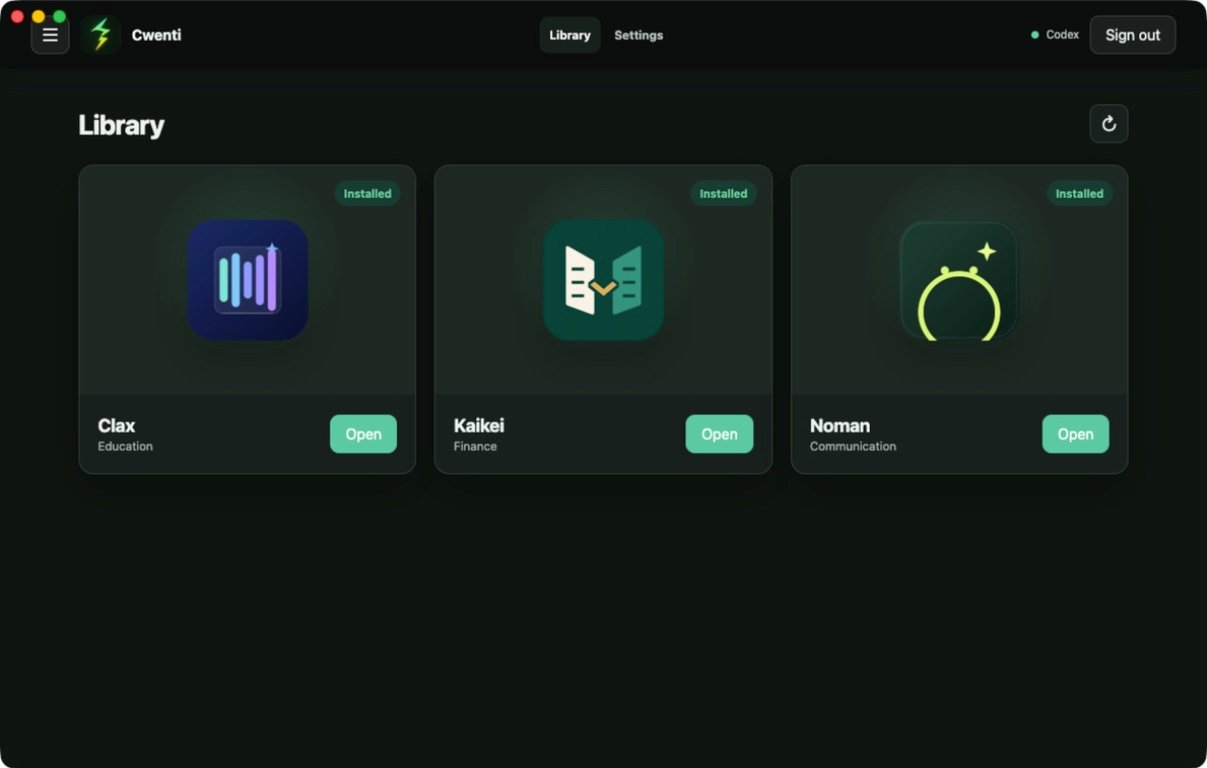
Enter the LibraryThe three included apps appear as installed and ready to open.
BEFORE YOU DOWNLOAD
Cwenti is a desktop application for macOS and Windows. This website only explains and downloads the installer.
No. All three apps are included in the Cwenti installer and appear in the Library after the first setup.
No. Cwenti uses the official Codex sign-in flow with your ChatGPT account and does not store a separate API key or OpenAI token.
Launcher settings, permissions, history, and logs stay on your device. When an app uses Codex, the authorized request and necessary context may be sent to OpenAI.
LESS PROMPTING · MORE FINISHED WORK
Choose your computer and leave the blank-chat workaround behind.